
DepsDiverTM Assist

To generate a DepsDiver API token, navigate to DepsDiver™ and sign into your account.
Once signed in, click on your profile icon and select “Tokens.” Click “Add Token” and give your token a name, description, and an expiration time. Click “Create Token” to access your token value.
Please note: This is the only time you will be able to access the token value. If you need assistance with your token, please contact [email protected].
Copy that token and paste it into the DepsDiver Assist’s API token settings section.
Several other settings can be tuned to maximize your DepsDiver™ Assist experience. Most users will adjust “Hl Diver: Foci Threshold Percentage” and “Hl Diver: Highlight Severity.”
- FOCI Threshold Percentage lets you set a threshold for the percentage of contributions to a specific package before it is flagged by DepsDiver. The default value is 50%, but feel free to adjust this to your personal or company risk parameters.
- Highlight Severity changes how packages that exceed your FOCI threshold are displayed – either as an error or informational finding in your IDE.
DepsDiver™ Assist works with any file written in one of our DepsDiver™-supported language ecosystems.
When a file is saved, the extension will run and automatically highlight packages that exceed your FOCI threshold resulting in a red underline.
Try it out: See it in action. Create a new go file, import the package github.com/mailru/easyjson (click to copy), and save the file. You will then see the FOCI Alert when hovering over the package:
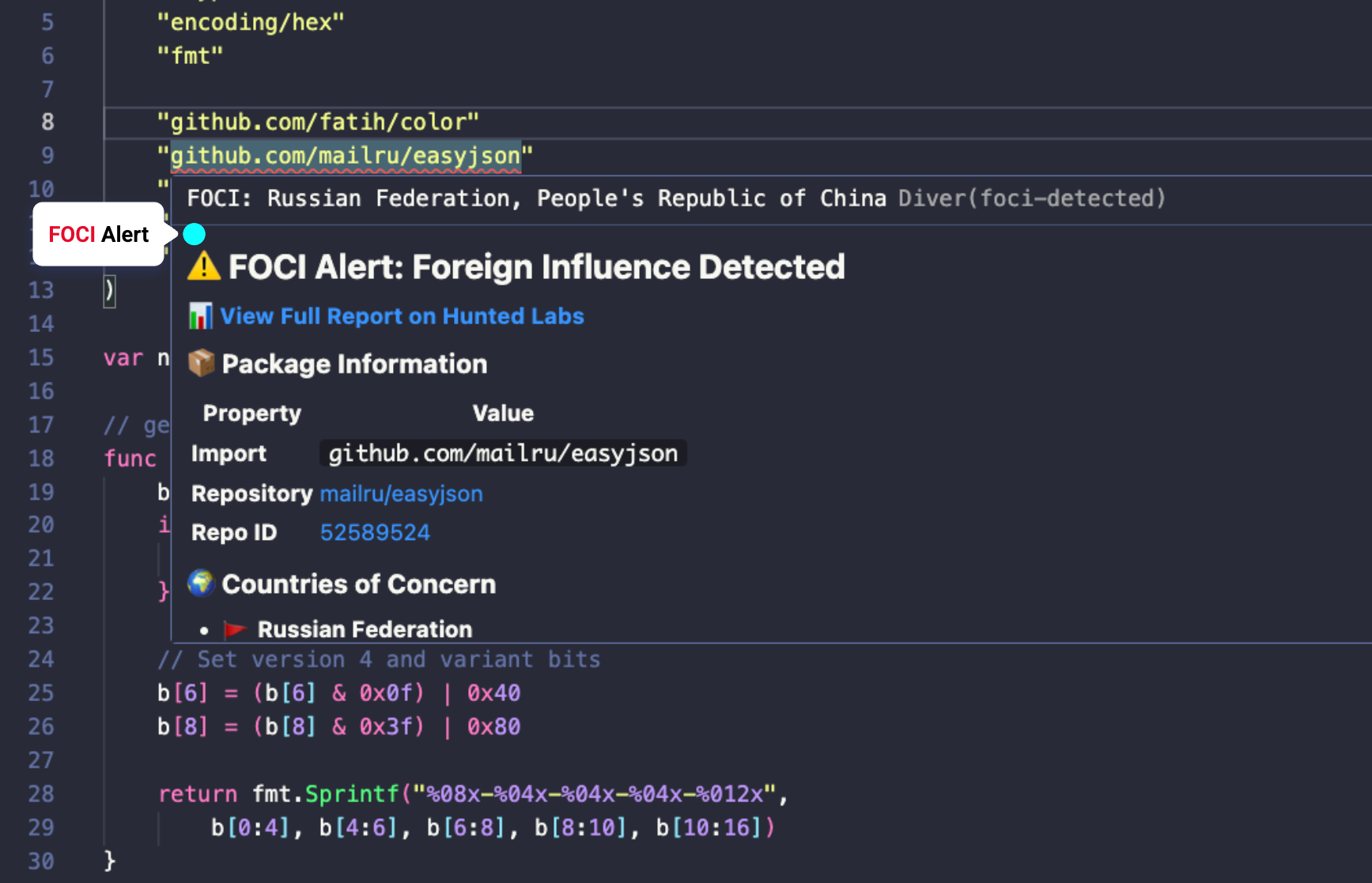
To swap one of these alternative packages into your file or project, click on “Suggest Alternatives” at the bottom of the pop-up. The AI assistant built into your IDE will swap this package into your project and ensure everything is working as expected.
Once in the command pallet, find the “Diver” commands. There are two main options: Scan File and Scan Workspace. Click these to get a FOCI status report on all of the imported packages in your selected file or workspace.
Please send us an email at [email protected]. Happy diving!

Stay Connected


Contact Us




2026 All Rights Reserved | Hunted Labs